
Do you need Payroll?
Buy this if payroll takes days, income tax and SSB are computed in Excel, and one broken formula costs you a month.
- 6 buying questions answered
- 3 modules usually bought with it
- Straight answers — no demo required
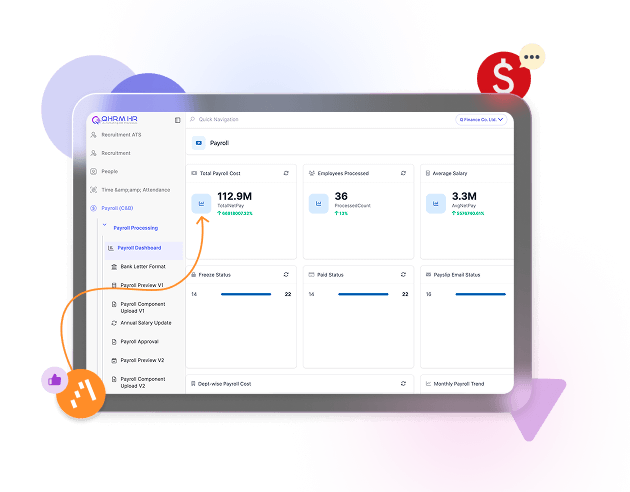
The buying guide
Read top to bottom, or jump to the question you came for. Every answer is written for someone deciding whether to buy, not for someone who already has.
Who it is for
Who is the QHRM Payroll module for?
Payroll is for the person who currently owns the monthly salary run and carries the risk when it is wrong. In most QHRM customers that is an HR manager at a company of 30 to 2,000 staff, or a finance manager at a company below 100 where HR and finance are the same desk.
It fits you closely if any of these describe your organisation:
- You pay in Myanmar and have to get income tax, SSB and the annual reconciliation right, every month, under a rule set that changes.
- Pay is not one flat figure. Overtime, shift allowances, night differentials, service charge or piece rates all feed the same payslip.
- More than one entity or branch runs payroll on slightly different rules, and the consolidated numbers are assembled by hand.
- Somebody keeps a private spreadsheet that the payroll run genuinely depends on, and that person going on leave is a real problem.
It is a poor fit for a company of five people on identical fixed salaries with no overtime. That is a bank transfer, not a payroll system.
Signs you need it
Five signs you have outgrown payroll in Excel
Most companies do not decide to buy payroll software. They reach a month where the spreadsheet fails them and then decide. These are the five failures that come up most often:
- The run takes more than two days. Not the approval — the arithmetic. Time spent reconciling is time nobody is checking whether the numbers are right.
- You have paid someone the wrong amount in the last year and found out from the employee rather than from a control.
- Tax is calculated by a formula nobody can explain. The file was inherited, the logic was never documented, and no one is willing to change it.
- Overtime is retyped. Attendance is captured somewhere, then keyed into the payroll sheet by hand — the single most common source of payroll error we see.
- Payslips are emailed individually, or worse, printed. Employees ask HR for last year's slip and someone goes looking through folders.
Two or more of these and the spreadsheet is already costing you more than the software would.
What changes
What changes in month one, and what changes by month six?
It is worth being clear about which benefits arrive immediately and which need a few cycles, because buying on the month-six promise and judging on the month-one result is how implementations get abandoned.
Month one. The run moves off the spreadsheet. Salary structures, tax and SSB are calculated by the system, payslips are published to employees rather than emailed, and the bank file is generated instead of typed. Expect the first run to take about as long as your current one — you are checking the system against your own numbers, which is exactly what you should be doing.
Month two to three. The checking stops. Attendance and Leave feed overtime and unpaid days straight into the run, so the retyping step disappears. This is where the days come back.
Month six. The work changes shape. You are answering questions from history rather than rebuilding it: cost per department over time, overtime trending in one branch, what the increment round actually costs. Year-end reconciliation stops being a project because the twelve months behind it are already consistent.
What it costs
What does Payroll cost, and what is included?
Payroll is part of the Professional plan. It is not sold as a standalone product, because a payroll module without an employee database underneath it would have nothing to pay.
Current per-employee pricing for every plan is on the pricing page, and it is worth pricing the bundle rather than the module: Professional also carries Attendance, Leave, Hiring and Onboarding, which are the modules that make payroll stop needing manual input.
What is included with Payroll itself:
- Salary structures, allowances, deductions and multiple pay groups
- Myanmar income tax and SSB calculation, plus year-end reconciliation
- Digital payslips in the employee self-service portal and the mobile app
- Bank transfer file generation
- Payroll registers, cost-per-department reporting and an audit trail on every change
Implementation, historical data migration and training are quoted separately, because they depend entirely on how much history you are bringing across. Ask for a quote with your headcount and the number of entities and we will price it properly.
What comes first
What has to be in place before Payroll works?
Payroll sits at the end of a chain. Buying it without the links in front of it is the most common reason a payroll rollout stalls.
Required. People — every employee needs a record, a start date, a department and a salary before anything can be paid. People is on the Free plan, so this is not an extra purchase.
Required if pay varies with hours. Attendance and Leave. Without them the system still calculates payroll correctly, but somebody is still typing in overtime and unpaid days — which means you have automated the arithmetic and kept the error.
Needed from you, not from us:
- A written salary structure. If allowances are decided case by case, that has to be settled before configuration, not during it.
- A decision on how much history to migrate. Most companies bring the current tax year; some bring nothing and run parallel for one month instead.
- One named owner who can approve the configuration. Payroll rollouts fail on unavailable decision-makers far more often than on software.
When not to buy
When should you not buy Payroll yet?
There are situations where we would tell you to wait, and it is cheaper for both of us to say so now.
Wait if your salary structure is about to change. A restructure, a merger or a new allowance framework mid-rollout means configuring twice. Finish the policy, then buy.
Wait if your employee data is not trustworthy. If you cannot produce an accurate list of who works for you today, with correct start dates and departments, start with People on the Free plan. Clean that up for a month or two — it costs nothing — and payroll configuration then takes days rather than weeks.
Do not buy it if your real problem is attendance. Plenty of companies describe a payroll problem that turns out to be an overtime-capture problem. Payroll will faithfully compute whatever you feed it. If the input is wrong, Attendance is the module that fixes your month.
Probably not worth it below about 15 employees on fixed salaries with no overtime and no statutory complexity. Run People free and revisit when headcount or pay complexity grows.
Buy these together
Payroll rarely arrives on its own. These are the modules customers add alongside it, and why.