See QHRM Helpdesk in Action
What is Helpdesk?
Key Features & Benefits
Ticket Creation & Tracking
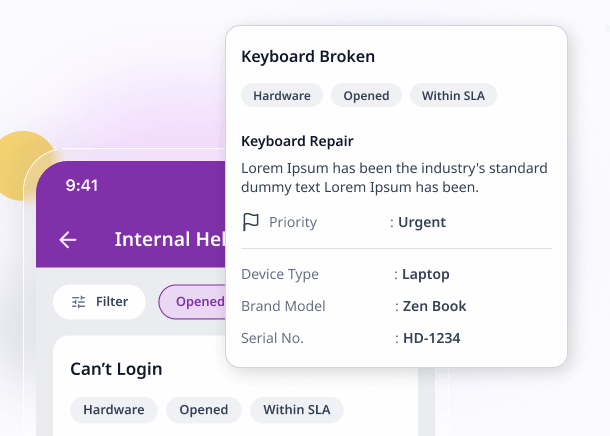
Employees can raise tickets for any HR-related query — payroll discrepancies, leave clarifications, policy questions, or document requests. Every ticket is tracked from submission to resolution with a unique reference number, so employees always know where their request stands.
SLA Management & Escalation
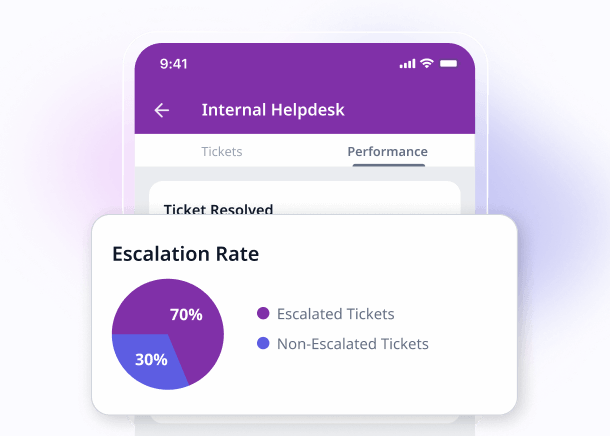
Define service level agreements per ticket category and priority level. The system monitors response and resolution times in real time, sending automatic escalation alerts to supervisors when SLA deadlines are at risk so critical issues are never left unattended.
Knowledge Base
Publish FAQs, company policies, how-to guides, and process documents in a searchable knowledge base. Employees can find answers before raising a ticket, significantly reducing ticket volume. HR teams can continuously update articles based on common queries.
Automated Routing & Assignment
Configure rules to automatically route tickets to the right HR team member based on category, department, location, or keyword. This eliminates manual triage, speeds up resolution, and ensures balanced workloads across your HR team.
Multi-Channel Support
Accept tickets from the web portal, mobile app, email, and integrated chat — all feeding into a single unified queue. Employees across different offices in Southeast Asia and India can use whichever channel is most convenient, and nothing falls through the cracks.
Priority & Category Management
Organise tickets by category (payroll, leave, benefits, compliance, general) and priority level (critical, high, medium, low). Filter, sort, and search tickets effortlessly so critical issues are surfaced immediately.
Reporting & Analytics
Generate detailed reports on ticket volume trends, average resolution time, SLA compliance rates, agent performance, and satisfaction scores. Identify recurring issues and bottlenecks to continuously improve your HR service delivery. Export to Excel or PDF for leadership reviews.
Employee Self-Service Portal
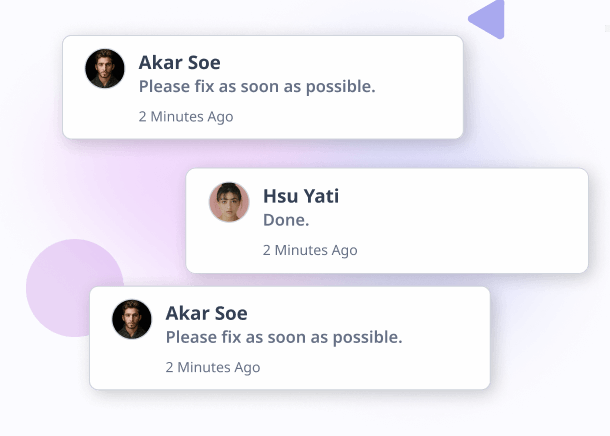
Employees can track their open tickets, view full conversation history, add comments, and browse the knowledge base — all from one self-service portal. This transparency reduces follow-up emails and calls, improving satisfaction for employees and HR staff alike.
Ticket Templates
Create templates for common request types — salary certificate requests, address changes, benefits queries — to standardise information collection and speed up ticket creation. Templates ensure employees provide all necessary details upfront, reducing back-and-forth.
Satisfaction Surveys
Automatically send a satisfaction survey after each ticket is resolved. Collect employee feedback on response time, resolution quality, and overall experience. Use the data to identify training needs and reward high-performing HR team members.
Canned Responses & Automation
Set up pre-written responses for frequently asked questions to speed up replies. Configure automated acknowledgement emails, status updates, and resolution notifications so employees are kept informed at every step without manual effort.
Mobile Access
HR staff can view, assign, and resolve tickets from their mobile phone — ideal for HR teams supporting field workers or multiple office locations across Southeast Asia. Employees can also raise and track tickets on the go via the QHRM mobile app.
Why Choose QHRM Helpdesk?
-
Southeast Asia & India Localisation
Purpose-built for organisations in Myanmar, Singapore, Thailand, Vietnam, Cambodia, and India. Support local languages, time zones, and compliance requirements across the region so your HR team can deliver consistent service regardless of location.
-
Seamless Integration with 15 Other Modules
Helpdesk connects with all other QHRM modules. When an employee raises a payroll query, your HR agent sees the relevant payroll data alongside the ticket. When a leave question comes in, leave balances are just a click away.
-
Measurable Service Improvement
SLA tracking, satisfaction surveys, and analytics give you hard data on how well your HR team is performing. Identify bottlenecks, track improvement over time, and demonstrate the value of your HR function to leadership.
-
Flexible pricing
Helpdesk is quoted alongside the rest of your modules. No hidden fees, no per-ticket charges.
Who Needs Helpdesk?
Growing HR Departments
HR teams handling a rising volume of employee queries need a structured system to track and manage requests. Helpdesk replaces shared inboxes and ad-hoc messaging with a proper ticketing workflow.
Multi-Location Businesses
Organisations with offices across Southeast Asia and India can centralise employee support in one platform. Employees in any location receive the same quality of service, and HR managers have visibility across all sites. Enterprise solutions
SMEs Scaling Operations
Small and medium enterprises that have outgrown informal HR support channels. A structured helpdesk ensures nothing is lost and employees feel heard as the company grows. SME solutions
Compliance-Focused Organisations
Companies that need an audit trail of employee requests and HR responses. Every ticket, comment, and resolution is logged with timestamps and user attribution — essential for compliance in regulated industries.
Related Products & Resources
Frequently Asked Questions
How do employees raise support tickets in QHRM?
Employees can raise tickets through the web portal, mobile app, email, or integrated chat. All channels feed into a single unified queue so no query is ever missed, regardless of how the employee contacts HR.
Can I set SLA targets for different ticket categories?
Yes. You can define service level agreements per category, priority, and department. The system tracks response and resolution times against your SLA targets and sends automatic escalation alerts when deadlines approach.
Does Helpdesk include a knowledge base?
Yes. The built-in knowledge base lets you publish FAQs, policy documents, and how-to guides. Employees can search for answers before raising a ticket, which reduces ticket volume significantly for many organisations.
How does automated ticket routing work?
You can configure routing rules based on ticket category, department, location, or keyword. Tickets are automatically assigned to the most appropriate HR team member, ensuring faster resolution and balanced workloads.
Is Helpdesk compliant with data protection laws in Southeast Asia?
Yes. The module includes role-based access control and data encryption to help you meet data protection requirements across Myanmar, Singapore, Thailand, Vietnam, Cambodia, and India. Sensitive employee information is only visible to authorised personnel.
What reporting and analytics are available?
You can generate reports on ticket volume trends, average resolution time, SLA compliance rates, agent performance, satisfaction scores, and category breakdowns. Reports can be exported to Excel or PDF for management review.
Which QHRM pricing plan includes Helpdesk?
Helpdesk is available with flexible pricing, quoted per organisation rather than per seat.
View pricing details.
Can employees track the status of their own tickets?
Yes. Employees can view ticket status, add comments, and see the full conversation history through the self-service portal or mobile app. This transparency reduces follow-up queries and improves employee satisfaction.
Ready to Support Your People Better?
Reduce repetitive HR queries with a proper support desk and knowledge base. Start your free trial.